Schedule with Precision
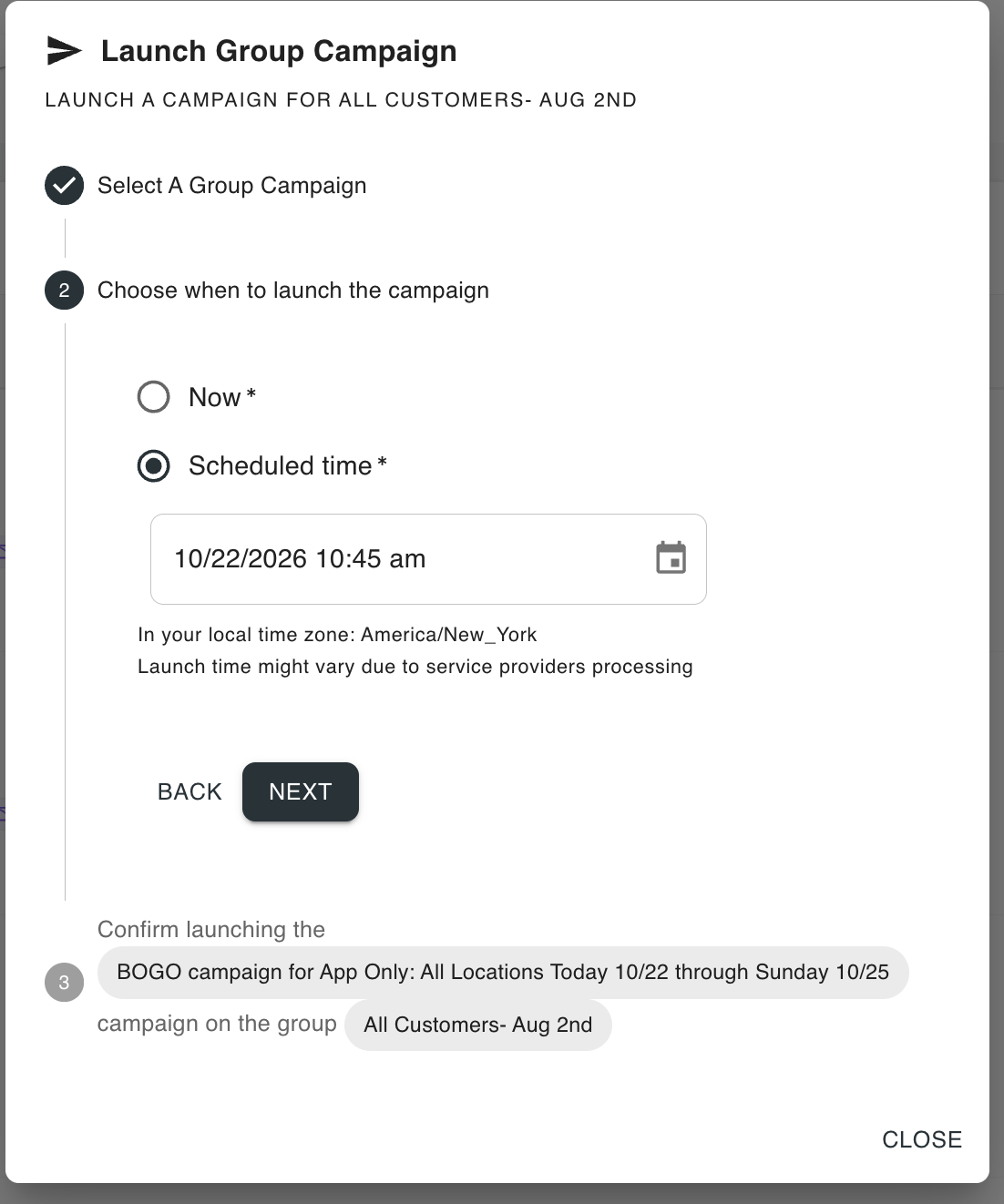
Choose your exact send date and time. Select between sending now or scheduling for later — in your local time zone. Confirm your campaign and group, then let Appfront take care of the rest.
No more waiting by your computer to send a campaign at the right time. Plan ahead, schedule your campaigns in advance, and track everything in one place.
Three simple steps to schedule your campaigns and let Appfront handle the rest.
Build your campaign as usual — choose your audience, craft your message, and click Send Campaign.
Choose between Send Now or Schedule for Later. Pick your date and time, and you're done.
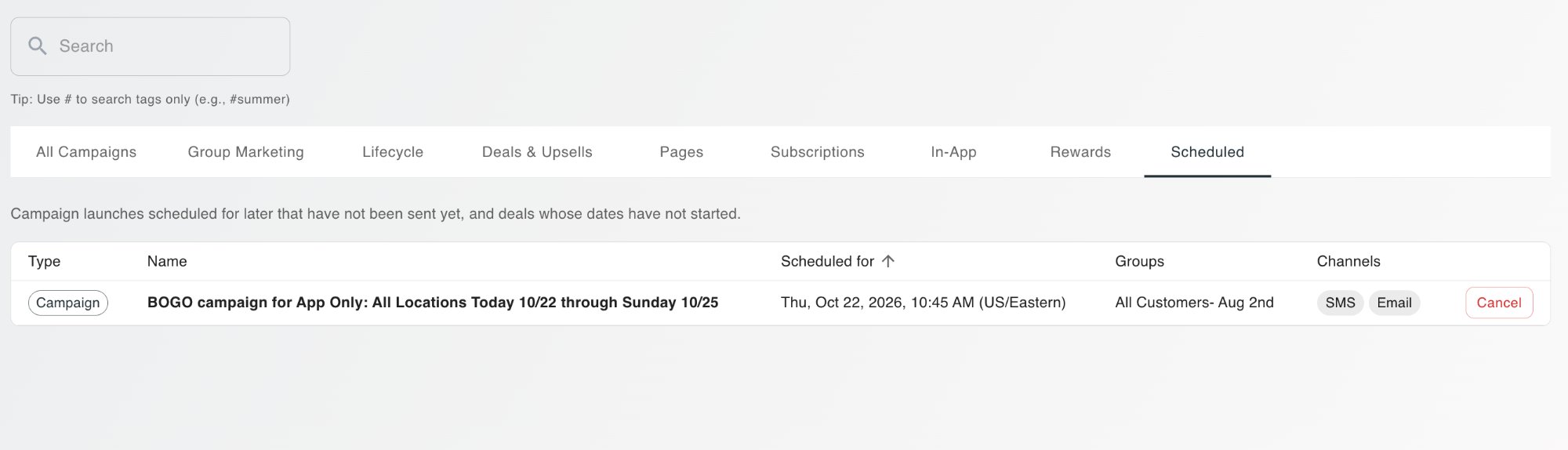
View and manage all your scheduled campaigns under Campaigns → Scheduler. Cancel or adjust anytime.
Choose your exact send date and time. Select between sending now or scheduling for later — in your local time zone. Confirm your campaign and group, then let Appfront take care of the rest.
See every upcoming campaign in one centralized dashboard. View the type, name, scheduled time, target groups, and channels (SMS, Email) at a glance. Cancel any campaign before it launches.
Stop watching the clock. Schedule your campaigns in advance and free up your team to focus on what matters — running your restaurant.
Lunch promos at 11 AM. Happy hour deals at 4 PM. Weekend specials on Friday evening. Schedule campaigns to land exactly when they'll drive the most orders.
Set up an entire week of campaigns in one sitting. Monday through Sunday, your marketing runs on autopilot while you focus on operations.
See all upcoming campaigns in one dashboard. Know what's going out, when, and to whom. Cancel or adjust anything before it sends.
Stop sitting by your computer waiting for the right time. Schedule once and let Appfront take care of the rest.
Book a Demo